
California DTF workflow guide
Move from artwork decisions to production review with Kiwi Suite.
Kiwi Suite brings browser-based artwork tools, file preparation, halftone review, gang-sheet planning, effects, and production-file decisions into a connected environment. This guide helps California print shops, apparel decorators, graphics teams, and qualifying schools evaluate where those capabilities may fit.
1,884Commercial Printing (except Screen and Books)
NAICS 323111, 2023
NAICS 323111, 2023
707Commercial Screen Printing
NAICS 323113, 2023
NAICS 323113, 2023
123Support Activities for Printing
NAICS 323120, 2023
NAICS 323120, 2023
612Sign Manufacturing
NAICS 339950, 2023
NAICS 339950, 2023
Why the workflow matters in California
Keep creative choices connected to the final production check.
U.S. Census Bureau County Business Patterns data shows 1,884 commercial printing establishments and 707 commercial screen-printing establishments in California. Across commercial printing, commercial screen printing, printing support, and sign manufacturing, the 2023 total is 3,326 establishments. These figures establish a local production context without claiming Kiwi Suite adoption.
Regional business data highlights Los Angeles County (1,008), Orange County (520), and San Diego County (324). A shop's actual workflow needs depend on its customers, equipment, staffing, file mix, and quality requirements.
From artwork to sheet planning
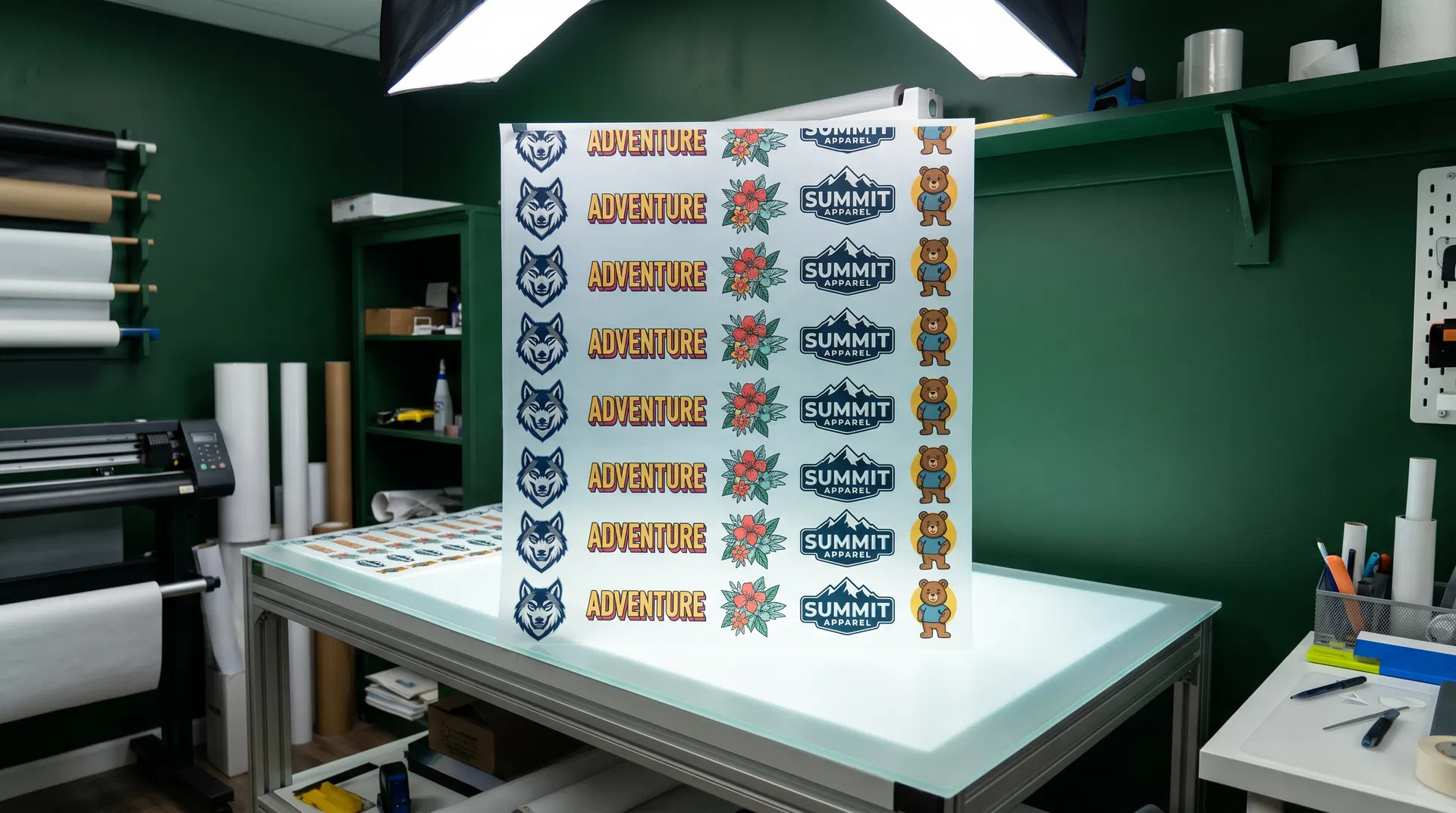
Review the full DTF layout before production begins.
California teams can evaluate artwork size, quantities, spacing, orientation, and overall sheet organization in one connected view. Final exported files still require operator inspection against the approved order and the shop's RIP, printer, materials, and production standards.
Connected customer benefits
Evaluate each stage with your own production files.
Turn an artwork idea into a workable starting point
A team can explore new artwork directions, revise an existing image, adjust colors, or test a visual style before layout.
- Useful for
- Customer-requested variations, logo refreshes, short-run concepts, and design exploration.
- Verify before production
- Confirm the current feature scope, output suitability, account access, and rights clearance for the intended artwork.
- California context
- California's supplied profile includes 1884 commercial printing (except screen and books) establishments. Los Angeles County is the first named regional anchor at 1008 establishments, which gives the artwork-direction discussion a state-specific production context.
Prepare source artwork before production
Background-removal and image-enhancement options can help a team prepare an artwork file for a transparent, print-oriented workflow.
- Useful for
- Client-supplied images, artwork that needs a cleaner background, and files needing a closer quality review.
- Verify before production
- Review the output at the intended size and test it with the actual printer, RIP, substrate, and production settings.
- California context
- For file-preparation questions, the California record pairs 707 commercial screen printing establishments with the Orange County regional reference of 520 establishments. The figures guide relevance only and do not identify sponsor users.
Evaluate a halftone treatment before committing to production
Adjustable halftone settings and preview can help an operator compare treatment choices before moving an image to the next production step.
- Useful for
- Artwork that may need a halftone or screen-print-style treatment.
- Verify before production
- Confirm the final result through the operator’s own test print and current tool documentation.
- California context
- For treatment and quality-review questions, the California profile records 123 support activities for printing establishments and names San Diego County at 324 establishments. This is a localized research lens, not an outcome claim.
Plan how artwork will sit on a sheet
Manual arrangement and sponsor-described assisted layout options can help a team organize artwork and quantities for review before export.
- Useful for
- Mixed artwork orders, repeat quantities, and a design review before production.
- Verify before production
- Check final spacing, sizing, placement, printer requirements, and current availability of any assisted layout option.
- California context
- For layout and visual-production questions, California records 612 sign manufacturing establishments. Riverside County, at 160 establishments, is another supplied regional anchor that differentiates this record.
Explore visual treatments and sticker-oriented work
Style effects can help a team consider alternate visual directions, while a sticker-oriented area may support cut-path and underbase planning.
- Useful for
- Creative alternatives, design mockups, and sticker projects where an operator needs to review output requirements.
- Verify before production
- Confirm the current style catalog, current sticker scope, beta status where applicable, and cutter or printer requirements.
- California context
- California's official state-resource path uses NIST MEP Center Locator and the CareerOneStop workforce-development finder. Alongside the supplied count pattern of 1884, 707, 123, 612, those resources keep the page connected to a distinct state context without asserting local Kiwi Suite operations.
Keep creative decisions connected to the production review
Using one product environment for artwork preparation, sheet planning, and export review can reduce avoidable handoffs between these creative stages.
- Useful for
- Teams seeking a simpler review path from artwork concept to a production-ready file decision.
- Verify before production
- Confirm current project, storage, retention, and account terms directly with Kiwi Suite before relying on a specific workflow.
- California context
- The four selected California categories total 3326 establishments: 1884 commercial printing (except screen and books); 707 commercial screen printing; 123 support activities for printing; 612 sign manufacturing. The supplied regional references are Los Angeles County (1008), Orange County (520), San Diego County (324), Riverside County (160). This signature makes the state's benefit discussion distinct while preserving the same private, non-localized editorial controls.
Keep content rights and policy checks in view
Kiwi Suite’s current terms state that users retain ownership of uploaded images, designs, and files, while the current privacy policy states that uploaded images and designs are not used to train AI models.
- Useful for
- Teams that need to include rights and policy review in an artwork workflow.
- Verify before production
- Read the current Terms and Privacy Policy. This is not legal, privacy, or intellectual-property advice.
- California context
- Before a California team relies on a benefit, it should read current official policies and test its own job. The local research signature is Los Angeles County (1008), Orange County (520), San Diego County (324), Riverside County (160); these are contextual anchors only and never evidence of local sponsor support or adoption.
A practical review path
Test the complete job, not only one feature.
Start with a real customer request.
Choose an image that needs a variation, recolor, style exploration, or cleanup. Compare the result with the supplied brief and the production team's quality expectations before moving forward.
Inspect at the intended output size.
Review edges, transparency, resolution, fine detail, color treatment, and any artifacts. The operator should judge the file through the actual RIP, printer, ink, film, powder, press, and garment conditions.
Confirm size, quantity, spacing, and orientation.
Use representative mixed artwork and repeat quantities. Check the arrangement visually, confirm every dimension, and compare the production file with the approved order before export.
Keep customer authorization with the job.
Confirm the right to use every supplied image, mark, and design. Review Kiwi Suite's current Terms and Privacy Policy and preserve the customer's production approval with the completed work.
Build a repeatable acceptance record.
For each test, keep the source file, approved dimensions, selected treatment, gang-sheet layout, exported file, printer and RIP settings, material combination, press conditions, operator notes, and finished sample. A repeatable record gives the team evidence for deciding whether the workflow fits its standards and provides a useful reference when the same customer or design returns.
Official Kiwi Suite resources
Check current capabilities before relying on them.
- Kiwi Graphics
Review the current image-generation, editing, recoloring, and styling information. - Background removal and image preparation
Inspect current artwork-preparation options and test outputs at production size. - Kiwi Halftone
Review current adjustable settings and preview capabilities. - Kiwi Effects
Explore current DTF-oriented visual treatments. - Kiwi Stickers
Review the current sticker-oriented cut-path and underbase planning area.
Common workflow questions
Questions for California production teams.
Can Kiwi Suite replace every existing design application?
Kiwi Suite presents itself as a browser-based DTF gang-sheet and design-workflow platform. A team should test its own files and requirements before deciding which existing applications or production checks remain necessary.
Does this guide promise print-ready output?
No. Each file still requires operator review and production testing with the shop's equipment, RIP, materials, settings, and acceptance standards.
What should California schools verify?
Kiwi Suite describes an education-access pathway for qualifying institutions. Eligibility, account administration, student use, feature access, and current program terms should be confirmed directly.
How are uploaded images handled?
Kiwi Suite's current terms say users retain ownership of uploaded or created content, and its current privacy policy says uploaded images and designs are not used to train AI models. Read the complete current policies before relying on either statement.
Sponsored content
This guide is sponsored by Kiwi Suite. Print News Group retains control of its wording, sourcing, disclosure, and publication decisions. Product, service, account, and policy information should be confirmed through the sponsor's current official materials.
Real workflow examples
Start with the job you actually need to produce.
Kiwi Suite is most useful to evaluate with representative artwork, known dimensions, a real approval path, and the production checks your team already trusts. These examples are practical starting points, not promises that one feature fits every file or shop.
From artwork to a print-ready gang sheet.
Upload artwork, remove backgrounds where the file is suitable, set real-world dimensions, arrange multiple designs, and export a clean sheet for the shop's DTF workflow. The production operator should still verify the final exported file in the RIP and against the approved order.
A free DTF design workspace for educators.
Qualifying educators can review Kiwi Suite's current education-access pathway for teaching image preparation, sizing, layout, and production thinking. Confirm eligibility, account limits, feature access, and current program terms directly with Kiwi Suite before classroom use.
Turn one idea into a coordinated collection.
Clean the artwork, test variations, and organize transfers for shirts, hoodies, totes, and youth garments while keeping the final sizing and production decision visible.
Fewer layout mistakes before production.
Work at intended print dimensions, inspect spacing before export, preserve approved layouts for repeat orders, and keep customer approval connected to the production file.
Kiwi Suite workflow visuals
See the production decisions before the sheet leaves the design workflow.
Arrange multiple transfers on one sheet.
Use the gang-sheet workspace to review artwork size, quantity, spacing, and placement before export. Compare the exported sheet with the approved order before printing.
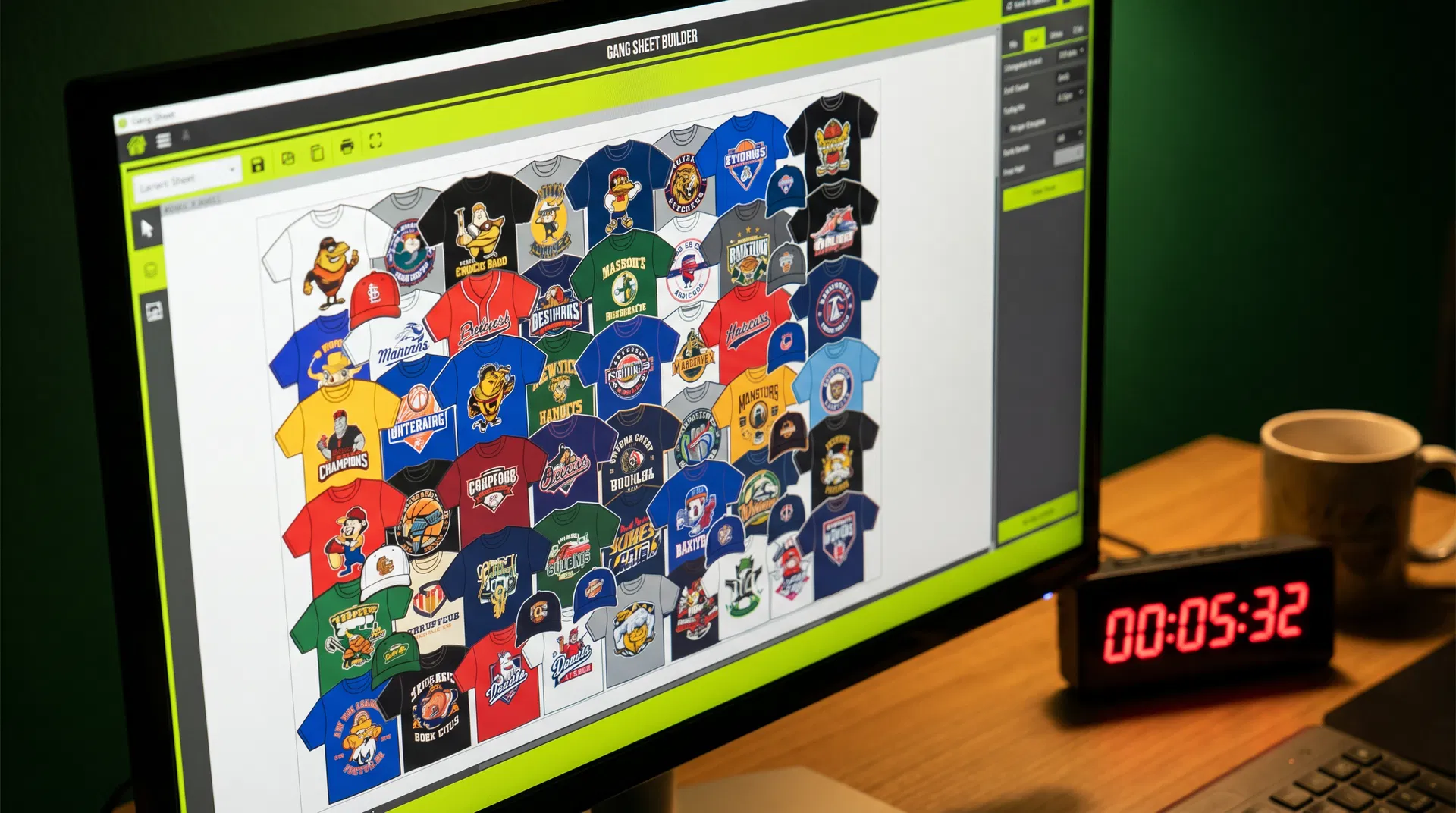
Review assisted arrangement instead of assuming it is final.
Automatic arrangement can help organize a sheet, but the operator should inspect orientation, dimensions, quantities, spacing, and every design before the file enters production.
Classroom sample
Teach production thinking with one bounded assignment.
Prepare a one-color logo, test two sizes, place six copies on a 22 × 24-inch sheet, and export a PNG.
Students can document the source artwork, dimensions, spacing choices, final layout, and what they would verify before printing. Confirm the current Kiwi Suite educator eligibility and usage limits before assigning the platform.
- Kiwi Suite education access
Confirm current eligibility, feature access, administration, and limits. - Kiwi Graphics
Review current artwork-generation and editing capabilities before building a lesson around them.